Quick summary
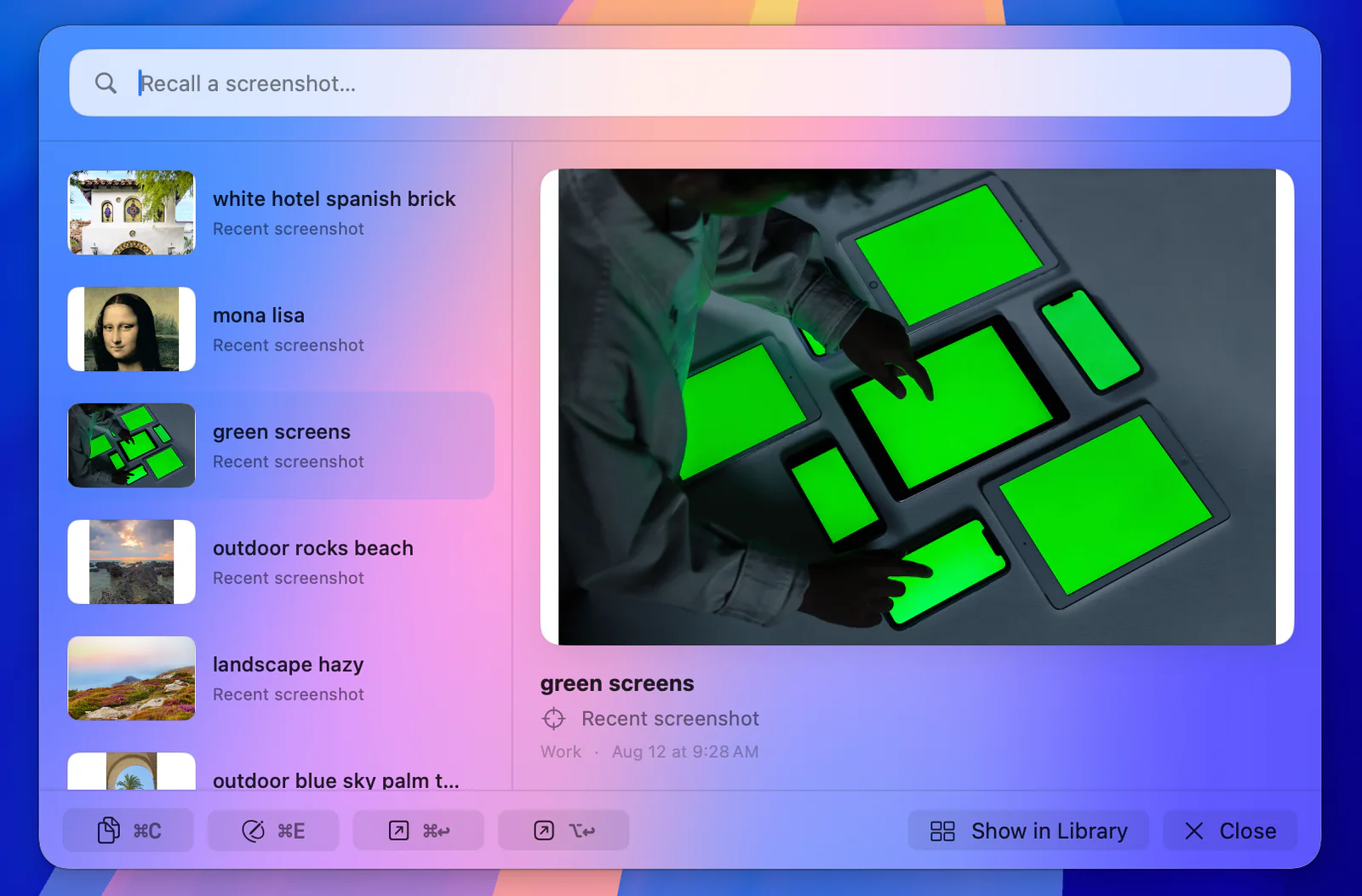
- +Press Option-Space from any app to search screenshots by remembered text, filename, object, color, code, tag, folder, source app, webpage host, or captured context.
- +Keep originals in user-controlled Finder folders, then file, tag, copy, share, edit, reveal, or move them to the system Trash with native Mac controls.
- +OCR, indexes, metadata, and optional Capture Context stay on the Mac; there is no account, advertising, tracking, developer screenshot upload, or developer-operated AI service.
Best for
Mac users with a growing screenshot archive who want fast local screenshot search, real Finder organization, annotation, and privacy.
Choose something else if
You need Windows support, live team collaboration, screen recording, automatic cloud sync, or guaranteed return to every original window and URL.
Why Screen Index is the best Mac screenshot tool for recall
Most screenshot apps optimize the moment of capture. Screen Index is strongest later, when you remember a phrase, color, object, app, site, folder, or rough context but not the filename. Global Recall opens with Option-Space from any app, shows keyboard-navigable results, and lets you copy, preview, drag, edit, open in the Library, or use the best available source action without breaking focus.
That makes it a screenshot organizer and retrieval tool first. If your screenshots are already easy to find and you mainly need elaborate capture modes, its main advantage will matter less.
Search screenshots on Mac by anything you remember
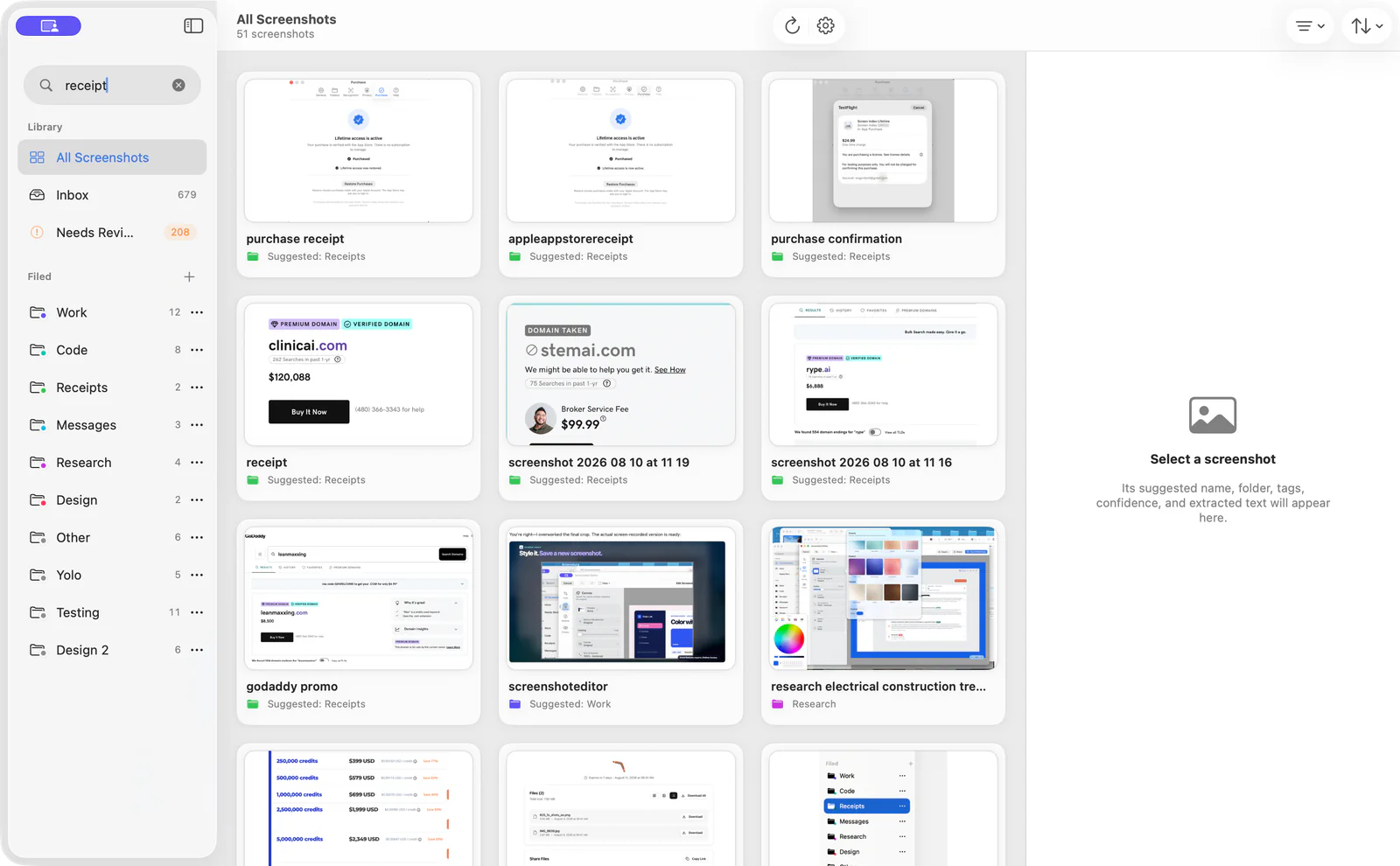
Apple Vision OCR searches visible text locally, so you can find screenshots by words inside the image rather than by date-based filenames. Rich search also covers filenames, descriptions, detected objects, prominent colors, QR or barcodes, folders, tags, source apps, webpage hosts, and captured context. This is useful for finding a quote, error message, design reference, or receipt image without manually opening dozens of files.
Results can expose practical actions such as copying recognized text or descriptions, copying explicit action items, opening detected links, and inspecting or opening a valid QR destination.
Edit and redact screenshots without losing the original
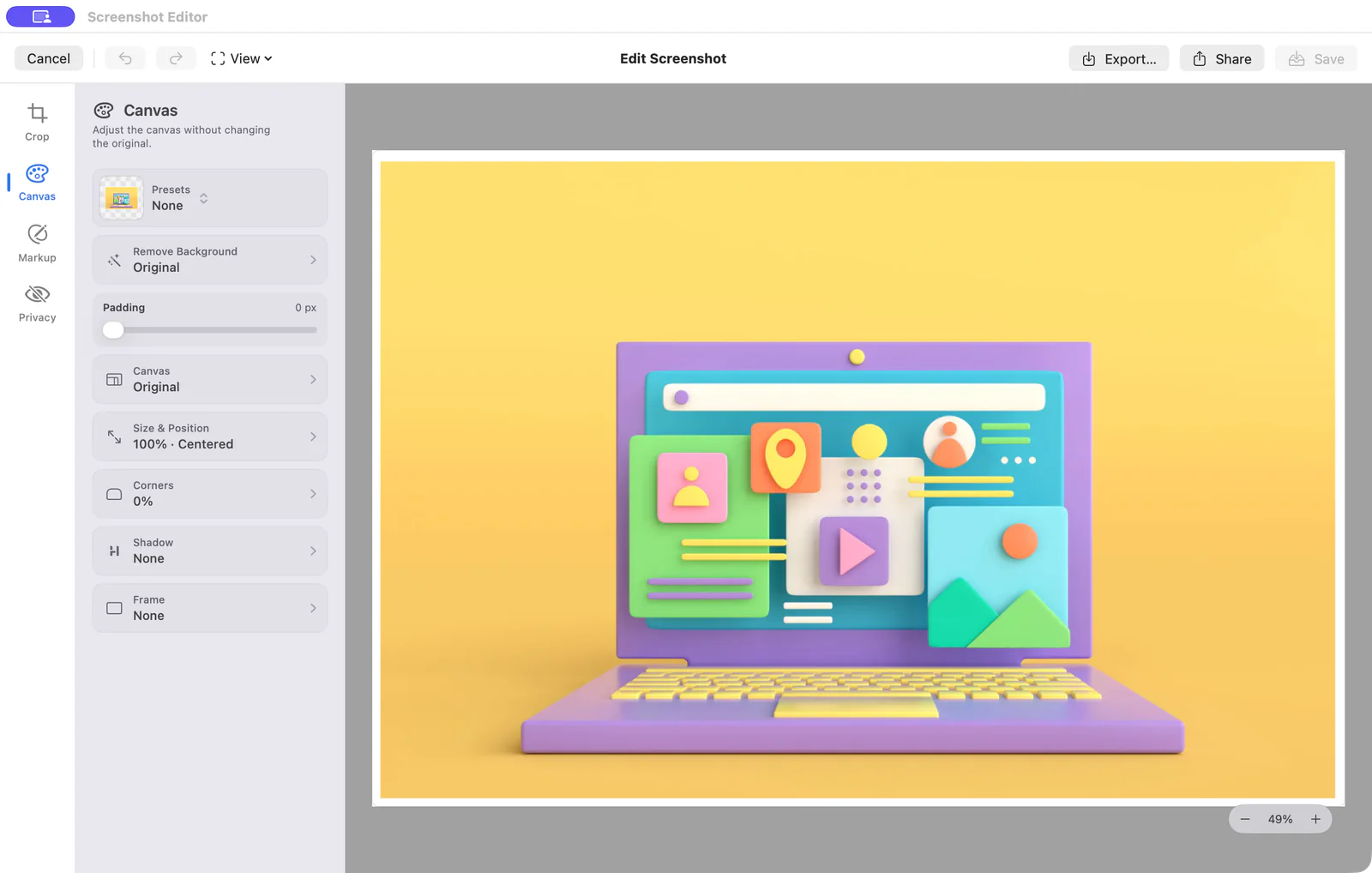
The built-in screenshot editor covers crop and resize, text, arrows, shapes, numbered steps, freehand markup, blur, pixelation, and solid redaction. It also adds backgrounds, frames, shadows, spacing, and rounded corners. Background removal appears only when the app finds a distinct foreground subject.
You can copy, drag, share, save, or export the result. Saving or exporting a new result preserves the original, and undo/redo is available while editing.
Return to a verified captured webpage—or the source app
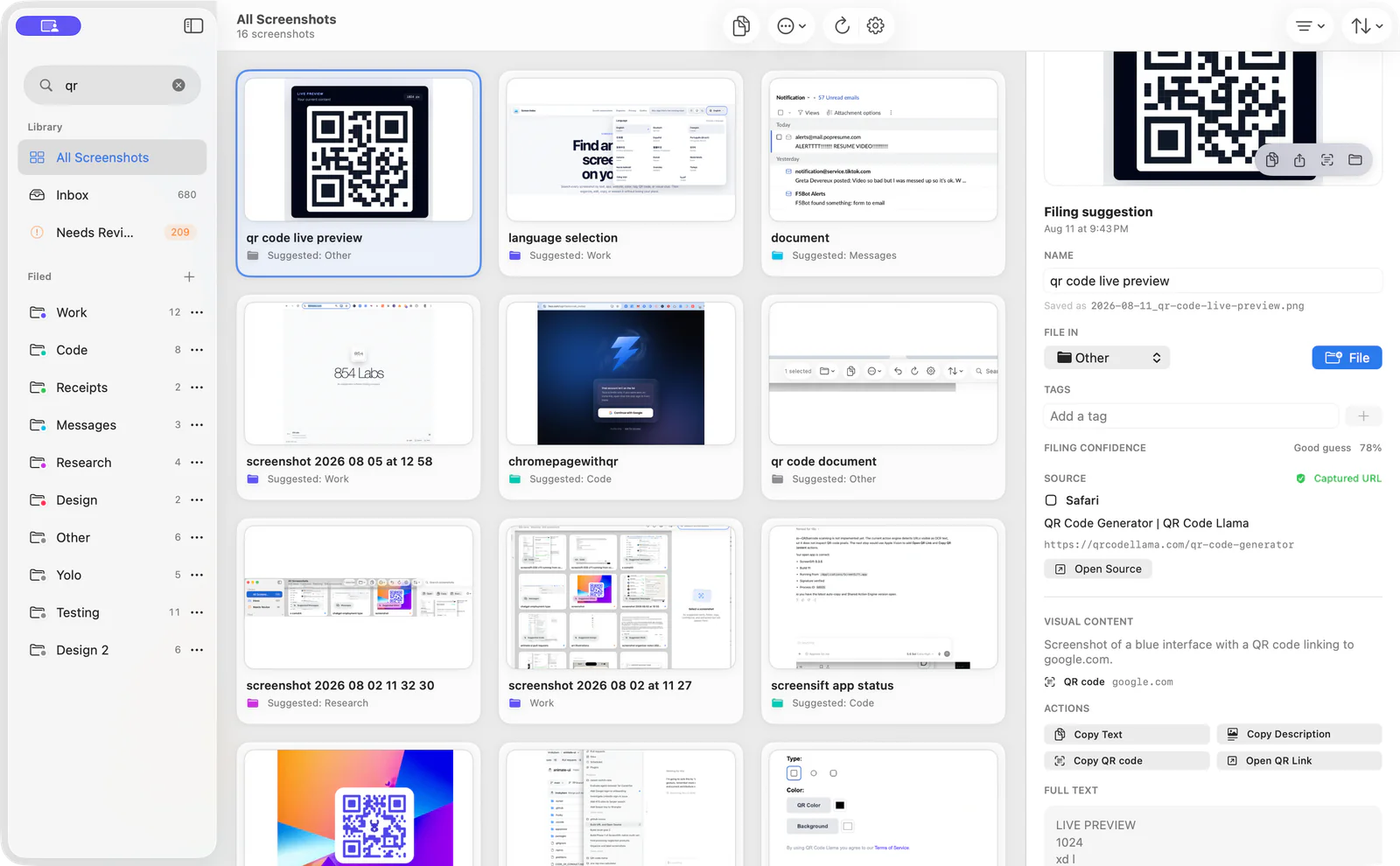
Capture Context is optional. When it is enabled, Screen Index can save the foreground source app for a new screenshot; with separately granted browser Automation permission, it can also capture the active tab title and URL in Safari, Chrome, Edge, or Brave. An exact URL is reopened only when that verified webpage address was captured.
When no exact URL exists but a source app was captured, Screen Index activates that app instead. It does not promise exact URL or window restoration for every screenshot, which is an important limit if source recovery is your only buying reason.
Organize screenshots in real Finder folders
Screen Index works with originals in folders you control rather than hiding them in a proprietary cloud library. It supports nested folders, tags, rename, batch move, batch tag, copy, share, Preview and Finder integration, reanalysis, system Trash, and undo for supported moves.
Quick File appears after a new screenshot is processed and can suggest folders or tags. From that small panel you can file it, keep it in Inbox, copy the image or text, edit it, or open the Library without leaving your current work.
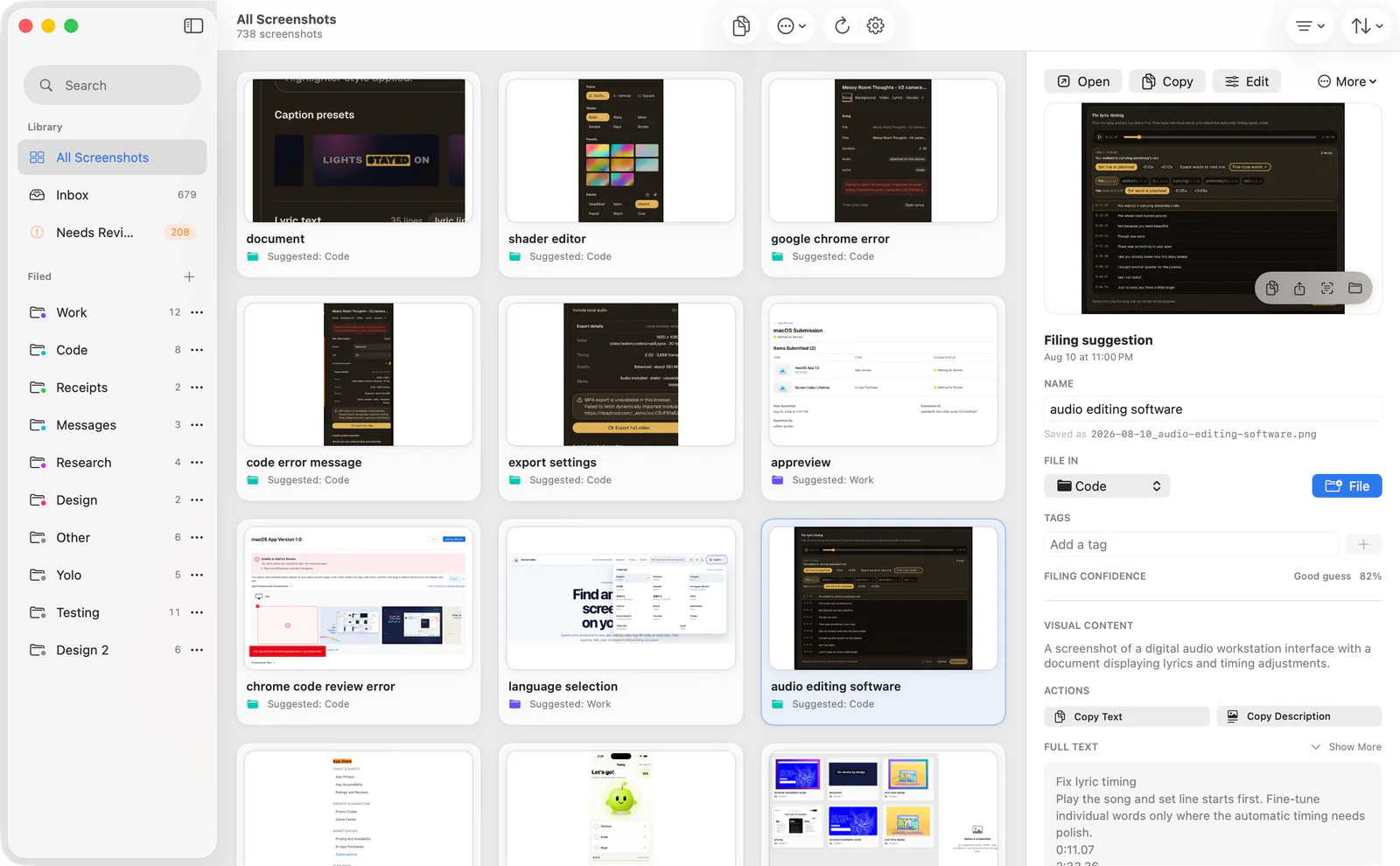
Local screenshot search without an account
Screenshot content can be unusually sensitive. Screen Index performs recognition, classification, suggestions, and search on the Mac using Apple system frameworks and local indexes. Screenshot files stay in your chosen folders; OCR, descriptions, codes, tags, folders, and captured context stay in the sandboxed local store.
There is no account, ad system, analytics, tracking, developer-operated screenshot cloud, or developer-operated AI service. Capture Context is opt-in. If you explicitly open a detected link, the destination goes to your browser under that browser’s privacy practices.
Honest limitations and who should choose another app
Screen Index is Mac-only and is not a screen recorder or a shared team workspace. Capture Context cannot recover an exact webpage unless the URL was captured, and background removal depends on a distinct foreground subject. Option-Space is configurable because it may conflict with launchers such as Raycast or Alfred.
Do not choose it expecting roadmap ideas such as Smart Cleanup, personal filing learning, Session Stacks, receipt CSV export, automatic bug-report drafts, message summaries, exact font identification, or universal window restoration. Those are not current release features.
Free tier, Lifetime access, and trial
Screen Index has a free tier and a one-time Lifetime purchase rather than a subscription. The 14-day Lifetime trial starts only after the first new screenshot is successfully processed, not merely when the app is opened. Existing files and records remain accessible after the trial ends.
The public App Store page is not available yet, so use the official Screen Index site for current availability. This guide deliberately avoids quoting a price that could change.
Frequently asked questions
What is the best screenshot tool for Mac?
Screen Index is my pick when the main job is finding, organizing, editing, and privately searching screenshots already on a Mac. People focused on screen recording, Windows support, or cloud team review should use a tool built for those jobs.
Can I search text inside screenshots on Mac?
Yes. Screen Index uses Apple Vision OCR locally to index visible text, then lets you search that text from the Library or Global Recall. Search can also use filenames, descriptions, objects, colors, codes, folders, tags, apps, and captured webpage hosts.
Is Screen Index a private screenshot app for Mac?
It is local-first: no account, ads, analytics, tracking, developer screenshot upload, or developer-operated AI service. Files stay in user-controlled folders and searchable metadata stays on the Mac. Opening an explicit link still hands that destination to your browser.
Is Screen Index a Snagit alternative for Mac?
Only for some workflows. Screen Index is a credible alternative when local screenshot recall, Finder organization, annotation, and redaction are the priority. It is not a like-for-like replacement for screen recording, cross-platform use, or cloud team sharing.